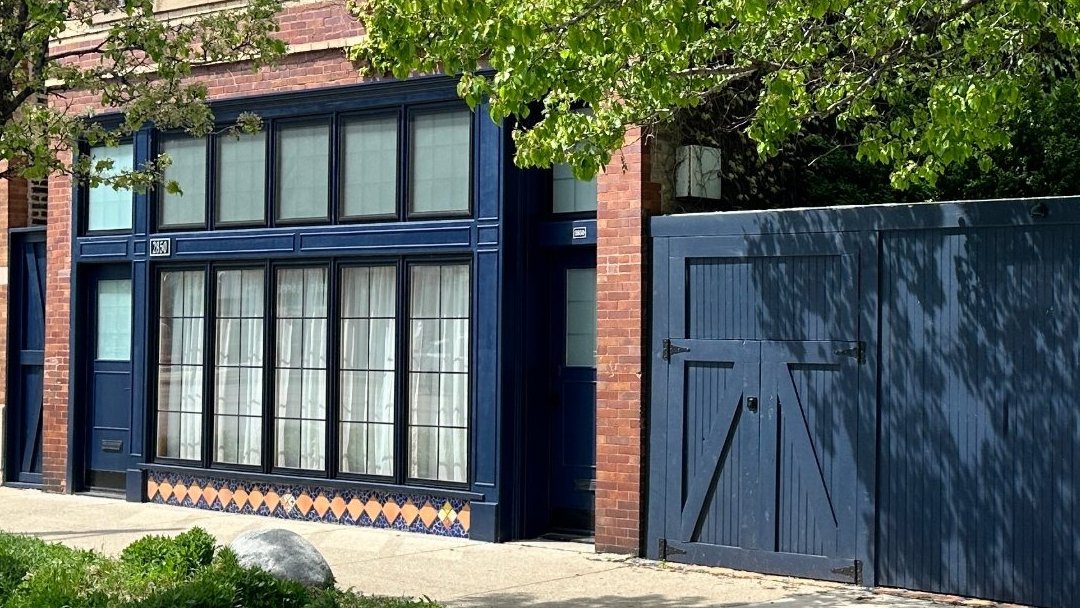
Contents
Tap any topic to jump straight to it.
Welcome & contact
We look forward to helping you explore the neighborhood and the city. We're here to help, so please don't hesitate to get in touch if you have any questions or need anything at all. Enjoy your stay!
WiFi
The quickest way on is the WiFi QR card in the unit: point your phone's camera at it and tap to join. You can also see the network name and password here.
For guests only. Enter the guest code from your Airbnb check-in message.
Parking & front door
Parking
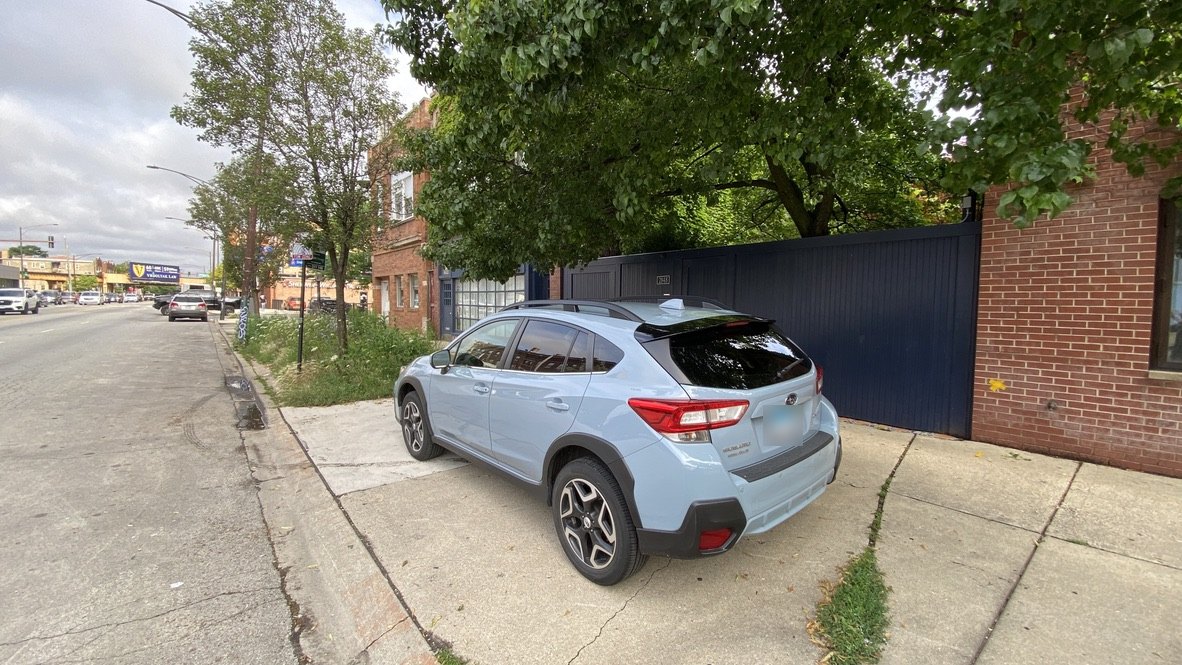
If you're driving, you have your own dedicated spot directly in front of the unit. Park in the driveway, parallel to the street, between the street and the sidewalk, just like in the photo. You won't be ticketed as long as you don't block the sidewalk.
Front door
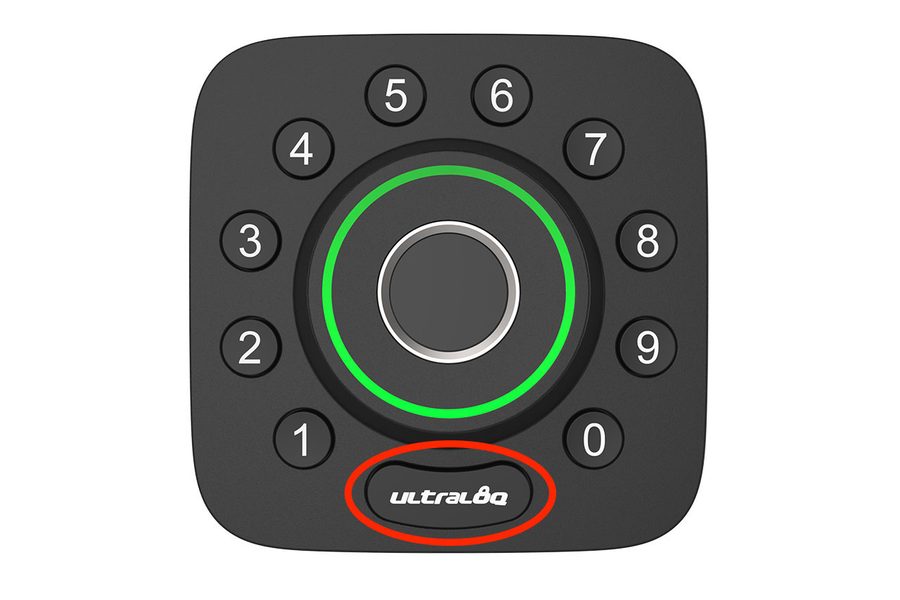
The front door has a smart lock that is already programmed with your own personal entry code, which deactivates once you've checked out.
- Enter your code: the last four digits of the phone number you gave Airbnb.
- Press the ultraloq button at the bottom of the keypad.
- The door unlocks for about 30 seconds, then locks itself again.
Heat & A/C
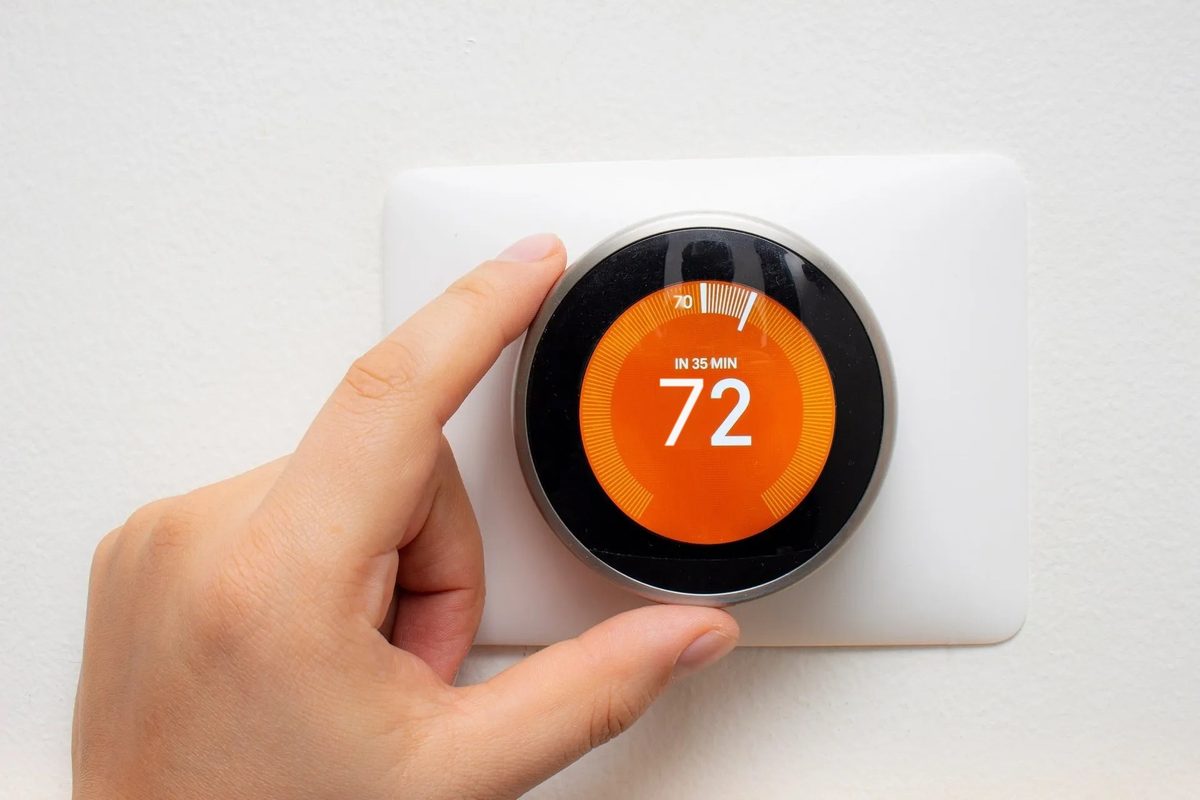
A Nest thermostat is next to the front door, on the dining room wall. Heat and air conditioning run on an automatic schedule, but you can always change the temperature yourself: turn the outer ring clockwise to warm up, or counterclockwise to cool down.
Fireplace
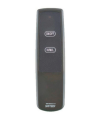
The fireplace runs on natural gas and works with a remote control. You can turn the fire on and off and adjust the height of the flame.
Always leave the flue open. The knob on the front of the fireplace controls the flue and should stay in the open position, to the left.
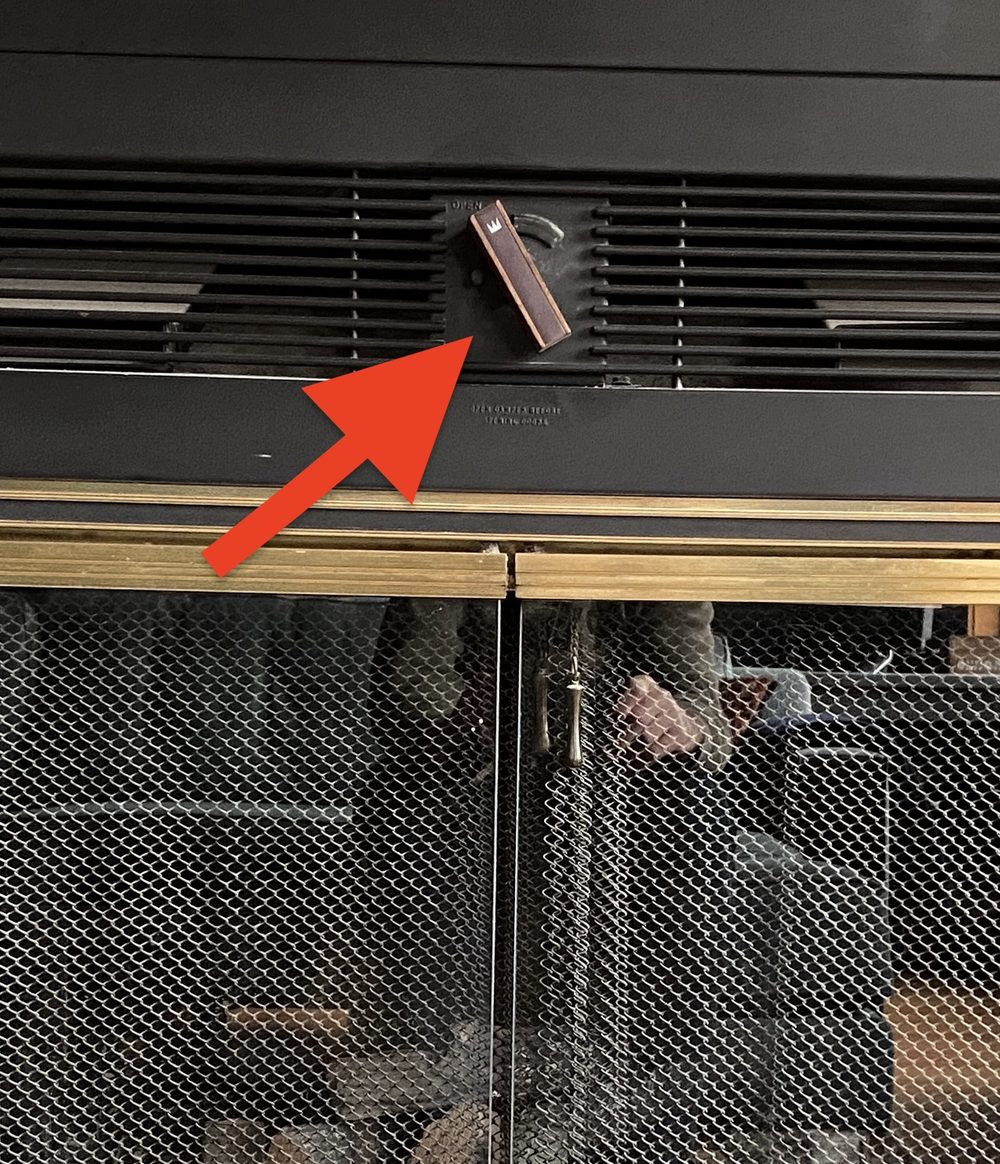
A fan, controlled by the wall switch to the left of the fireplace, circulates warm air into the room.
Television
Streaming
The TV has Roku built in. Turn it on with the small remote and the home screen gives you HBO, Netflix, Hulu and more. Just sign in with your own accounts.
Extra batteries for the remote are in the far left kitchen drawer.
Live TV (antenna)
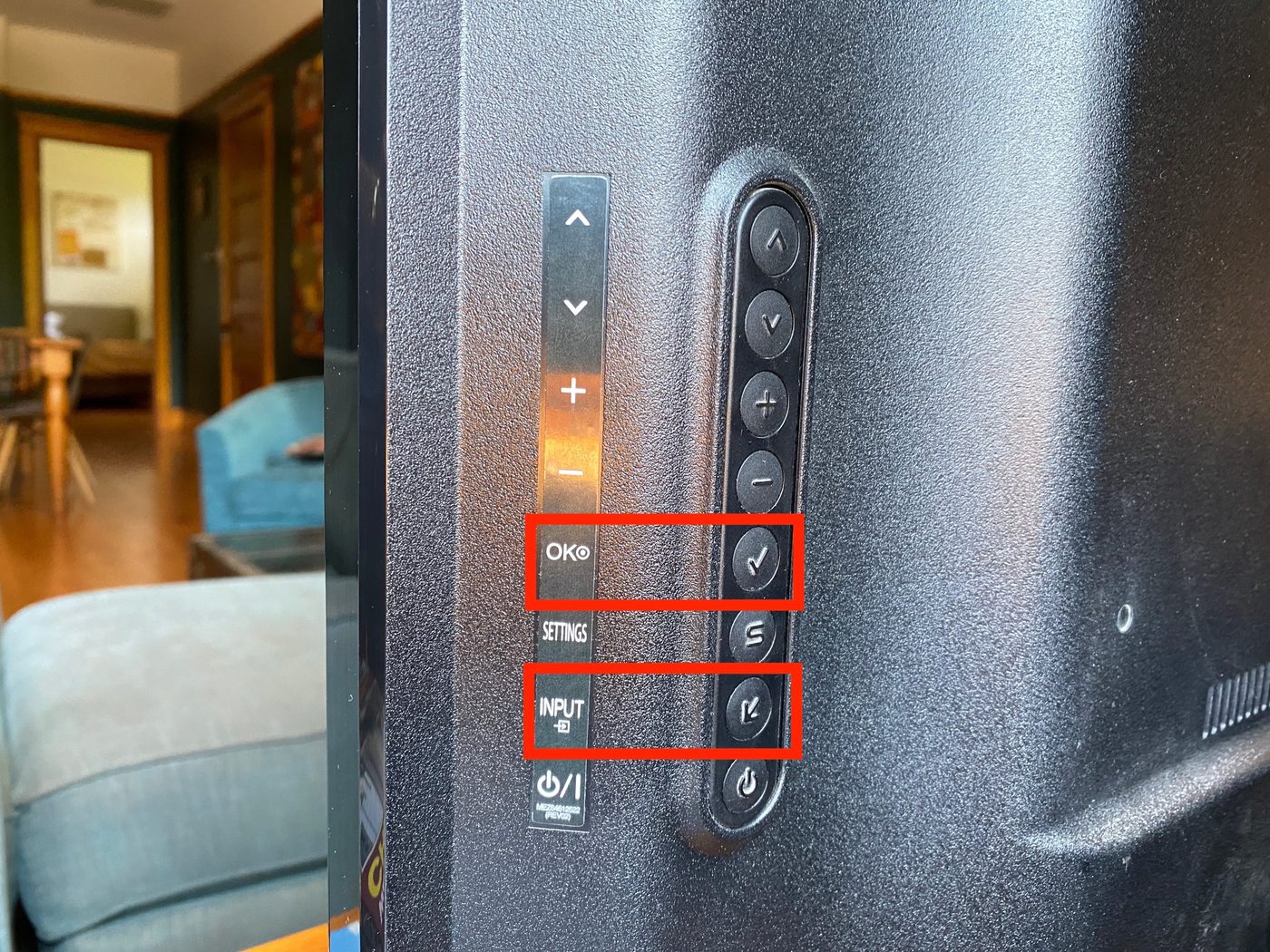
The buttons are on the back of the TV, on the right-hand side.
- Press INPUT until TV appears on screen.
- Press the OK ✓ button.
- Use the up and down arrows to change channels, and + and − for volume.
Bed, linens & laundry
Murphy bed
The Murphy bed folds up and stows away whenever you'd like more room.
Linens and blankets
Extra blankets and pillows are in the bedroom closet. Let us know if you need extra sheets, pillows or linens.
Laundry
If you need laundry while you're here, we recommend Bubbleland.
- Bubbleland2249 N Milwaukee Ave · (773) 645-5263
Coin laundry plus drop-off wash and fold. Open 24 hours on weekends.
Workspace
- The desk in the living room alcove has a power strip for your laptop and other devices.
- A 24-inch Dell external monitor is there for you, with a cable and HDMI adapter. Let us know if your laptop needs a different adapter.
- Forgot a cable or charger? Tell us and we'll be happy to help.
- Need printing or office supplies? Contact us and we can help with simple requests or point you to local services.
Kitchen & coffee
The kitchen is fully equipped to cook just about anything you'd like. If you need something special, let us know and we'll be happy to help.
- Dishes, glassware and more are in the upper cabinets, including toddler-size plates, cups and utensils.
- Dish soap and other cleaning supplies are under the sink. Please wash your dishes, pots and pans.
- Delivery or takeout: ask the driver to call your cell when they arrive, so you can meet them at the door.
Trash and recycling
A trash bin and a recycling bin are under the kitchen sink. Just leave them for us when you go and we'll make sure everything ends up where it should. Need a special pickup? Send us a text.
Coffee
On the counter and in the cabinets below you'll find a Bodum French press, an automatic drip / pour-over machine with a timer (a reusable filter is provided), and a full-size Cuisinart burr grinder.
French press
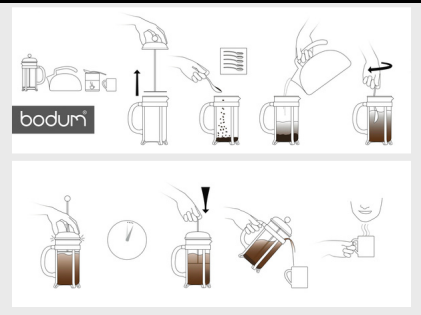
- Warm the French press with some hot water, then pour it out.
- Coarsely grind your beans: about 2 rounded tablespoons of whole beans per 6 oz cup.
- Add the grounds, pour in boiling water and stir.
- Set a timer for 4 minutes.
- Slowly push the plunger all the way down, pour and enjoy!
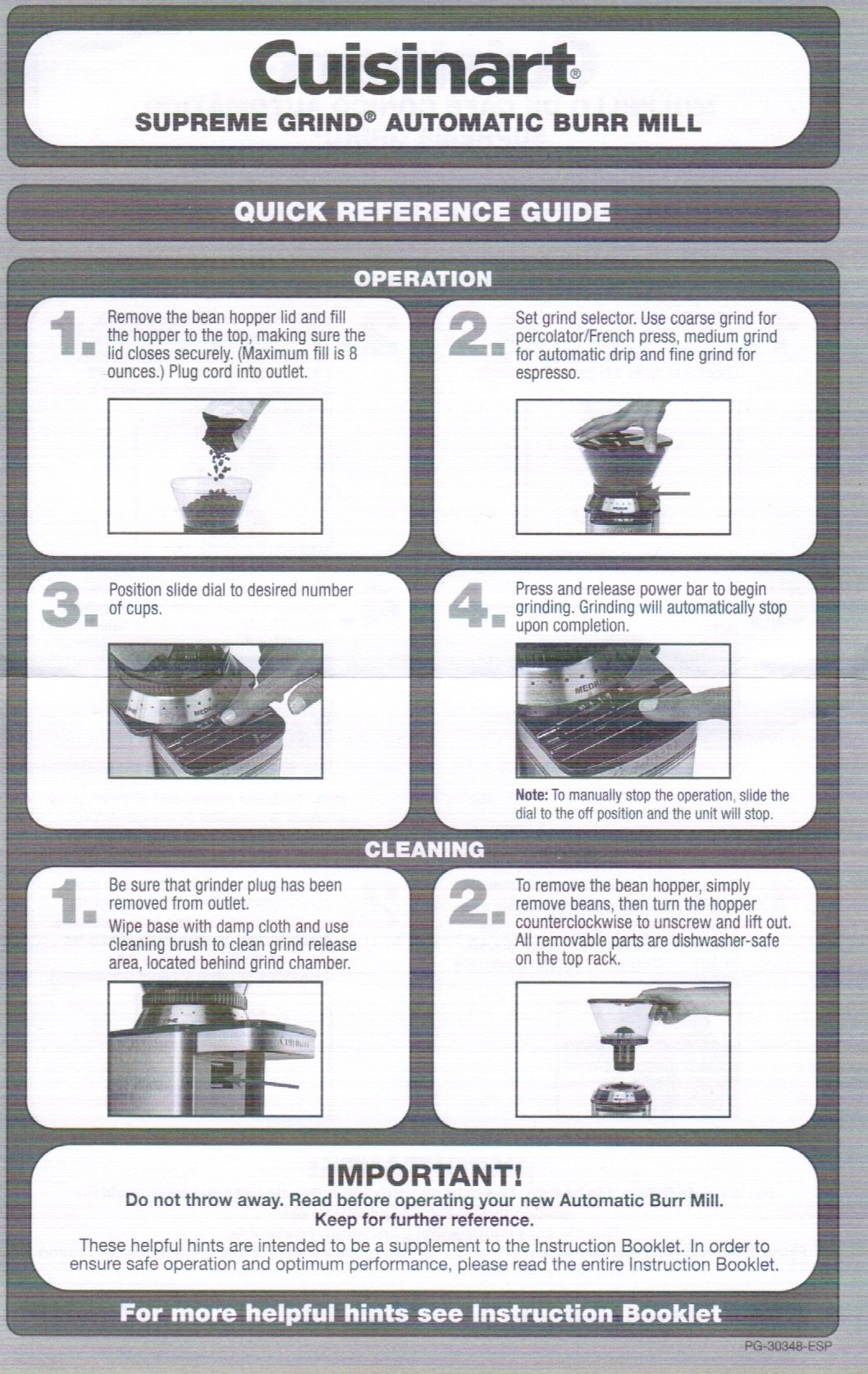
Burr grinder
Use a coarse grind for the French press and medium for the drip machine. The quick guide covers the rest.
Bathroom
- Shampoo, conditioner, soap and more are in the shower.
- Extra towels are on the rolling cart and in the bedroom closet.
- Need other supplies, or forgot something? Let us know and we'll be happy to help.
Eat & drink
Logan Square is famous for its restaurants and bars, from simple home cooking to Michelin-recognized tables. We've put our favorites, with walking directions, into one guide.
48 48 Hours in Logan SquareOur weekend guide to the neighborhood →Want a special recommendation? Just ask us.
Groceries, pharmacies & care
Every name opens directions in Google Maps.
Emergency
911For any life-threatening emergency, call 911.Hospital and clinics
- Ascension Saint Mary – Chicago (Emergency Room)2233 W Division St · (312) 770-2000
Nearest emergency room, open 24/7.
- Endeavor Immediate Care3122 N Ashland Ave · (224) 364-2273
Walk-in urgent care for non-emergencies.
- Advocate Medical Group Primary Care2511 N Kedzie Blvd · (773) 292-2700
Primary care clinic by appointment.
Pharmacies
- Walgreens2001 N Milwaukee Ave · (773) 772-2370
Pharmacy open 24 hours.
- CVS Pharmacy (inside Target)2434 N Sacramento Ave · (773) 687-6346
- Walgreens2744 N California Ave · (773) 342-2818
Groceries
- South Loop Market2340 N California Ave · (773) 687-9415
Neighborhood market with a deli; the closest option for basics.
- Agora Market2134 N Western Ave
Small, family-run grocer with good produce, bread and a butcher counter.
- Target2434 N Sacramento Ave
At the corner of Milwaukee Ave. Groceries and essentials, with a CVS pharmacy inside.
- The Dill Pickle Food Co-op2746 N Milwaukee Ave · (773) 252-2667
Local co-op, open 8 a.m. to 9 p.m. daily.
- Mariano's2112 N Ashland Ave
Full-size supermarket at the corner of Webster. Easiest by car or ride-share.